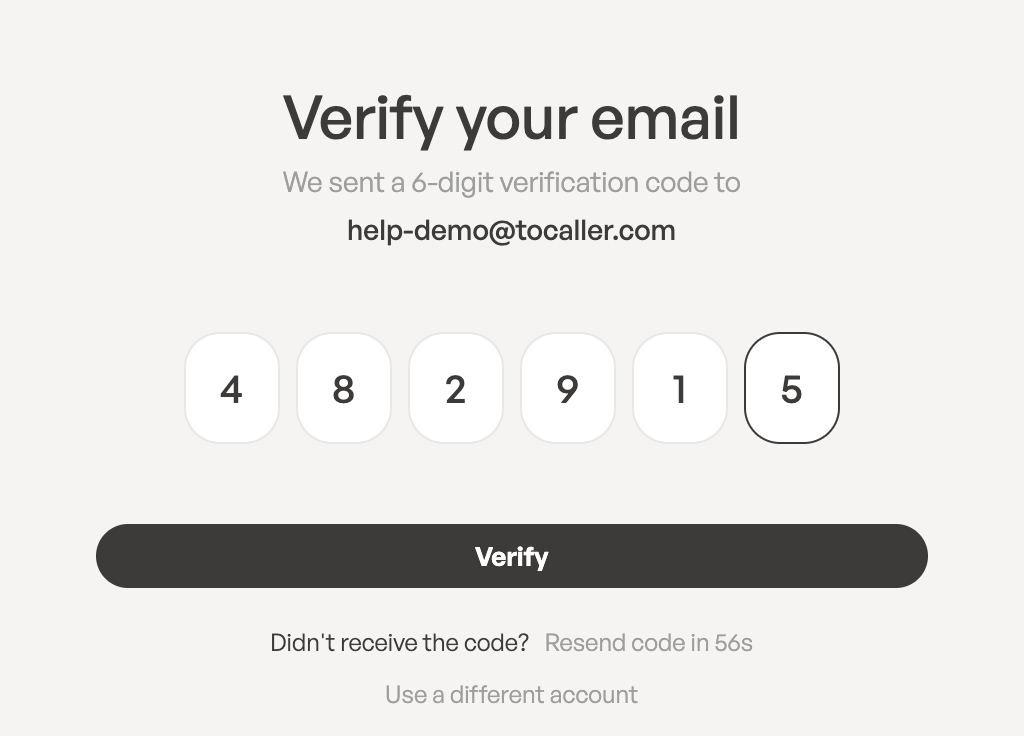
When you sign up with your email address, ToCaller asks you to confirm that the address is yours. We email you a 6-digit code, and you enter it on the Verify your email screen.
Find the code in your inbox
The email arrives a few seconds after you click Start Free Trial. Its subject is Your Tocaller verification code, and it contains a 6-digit number.
The code:
- is valid for 10 minutes,
- works only once,
- should never be shared with anyone. ToCaller staff will never ask you for it.
If you can’t find the email, check your spam or junk folder.
Enter the code
- On the Verify your email screen, check the address shown under We sent a 6-digit verification code to.
- Type the 6 digits into the boxes. You can also paste the whole code; it fills all the boxes at once.
- Click Verify. The button becomes active once all 6 digits are filled in.
When the code is accepted, you’ll see Email address verified. and ToCaller opens your workspace’s Home page. We also send you a Welcome email with your first steps: add a phone number, invite your team and make your first call.
Keep the Verify your email screen open until you’ve entered the code.
Request a new code
If the code didn’t arrive or has expired, look under Didn’t receive the code?:
- For the first 60 seconds you’ll see a countdown, Resend code in …s.
- After that, click Resend code. You’ll see A new verification code has been sent.
A new code replaces the previous one, so always use the code from the most recent email. You can request up to 5 new codes per hour.
Error messages
- The verification code is invalid. Check the digits and try again, or use the code from the newest email.
- This verification code has expired. Request a new one. More than 10 minutes have passed. Click Resend code.
- Too many incorrect attempts. Request a new code. After 5 wrong attempts the code stops working. Click Resend code and use the new one.
- Please wait … seconds before requesting a new code. Wait for the countdown to finish, then try again.
Signed up with Google?
You don’t need a code. Google has already confirmed your email address, so ToCaller takes you straight to your workspace.